June 2020 Book Releases

ebook cover
Click on the image for a preview!

FREE today! Book Weaving: How to Create a Story Tapestry From Your Blog Threads is designed for bloggers who want to make something tangible from their blog posts. 

herb cover

The eBook version of Exploring Traditional Herbal Remedies in Mexico is now available for download for those of you that purchased it as a pre-order. The eBook version is a fraction of the price of the paperback version, so you’re getting quite a deal!

I’m working on a three-book series about self-publishing this month, so look for that announcement in the (hopefully) near future.

Blog to Book Project — Gifting eBook on Amazon

One way to promote your book is to set up a giveaway, give your book to readers at events, or send it to subscribers of your newsletter. You can purchase several copies or just a single copy to gift someone. 

You can purchase prepaid ebooks that can be redeemed by clicking a link or with a redemption code. To do this, go to the detail page for your title on Amazon.com. On the right, you’ll see the option to “Give as a Gift.” When you select that button, a new page will open for you to complete the order. 

This gifting service is also available on Amazon.co.uk, Amazon.de, Amazon.fr, Amazon.it, and Amazon.es but only as a multi-copy transaction. The gift book must be purchased on the same site that the receiver will access it. So if you are sending a book to someone in Italy, make sure to purchase the gift copy through Amazon.it rather than the U.S. site. 

If the person does not click the link to download the book within 60 days, you can request a refund or send the link to another recipient. Since this is a purchased book, you receive royalties on the title even though you bought it yourself. However, the royalties are only applied when the book is redeemed.

Gifting a great way to encourage Beta readers to leave a review for your book. Be aware though that if you are purchasing multiple copies at the same time, the recipients will only be able to leave non-Amazon Verified Purchase reviews. Therefore, purchase each Beta review copy individually. 

Single copies gifting is only available on the Amazon.com U.S. site. The recipient of a single copy can return the gift within seven days of downloading as long as it hasn’t been opened on any device. He or she can also exchange the ebook for a gift card. 

Assignment: Send your book to someone as a gift.

Ultimate Bundles June 2020

Ultimate Bundles has what you need to keep cabin fever at bay while we wait out the troubling times we live in. These three bundles, the Work at Home Bundle, the Self-Care Mini-Bundle, and the Master Your Money Mini Bundle will be available at the listed price, with bonuses offers, from June 1 – 5, 2020.

Get your bundle now!

***

Some of you may have had your first work from home experience during the recent lockdowns around the world. Others may be considering how to restructure your life so that you can spend more time with your family. Wherever you are in your quest for more flexibility in your working habits, the Work at Home Bundle has something for you!

This bundle has 11 eCourses, 9 eBooks, 4 printables and workbooks, and 4 templates with a total value of $1603.90. This week you can get all these plus the bonuses for $37.

***

Then there’s the Self Care Mini Bundle. This little gem has 8 eCourses and Membership Sites, 5 eBooks, 9 printables, and workbooks valued at $564.80 plus several bonus products! This mini-bundle is only $19.99 this week. 

***

Many countries are facing economic collapse. Families are struggling as well. If you’re in the same boat, then take a look at the Master Your Money Mini Bundle. It includes 21 products worth $514.95 (plus bonuses) for the bargain price of $19.99.

***

Ultimate Bundles is still offering some past bundles this month as well, albeit at a slightly higher price and without the bonus offers.

***

The Gardening & Sustainable Living Bundle is now $24.99. If you remember it has 6 courses, 21 eBooks, 5 Planners, and Printables and is valued at $577.71. It’s a handy set of resources to help you take control of your food source!

***

If you’d like to live more intentionally, then the Ultimate Productivity Bundle 2020 can help. This huge bundle has  10 eBooks, 29 eCourses, 28 workbooks & printables, and a membership site with a value of $2743.08. You can still get these productivity resources for $67.

Ultimate Productivity Bundle 2020

***

If you have kids, that will be home for the summer, then you’ll want to look at the Stay at Home Survival Bundle 2020. It has 4 eBooks, 11 Workbooks and Printables, 5 eCourses, and a summit worth $493.19. You can get these amazing resources for just $24.97.

Stay at Home Survival Bundle 2020

***

And last but not least, the Photography Super Bundle 2019 is available for a few more months. This useful set of resources includes 12 eCourses, 6 eBooks, templates & presets, and has a value of $1,195.98. You can grab yours for just $49.97.
Photography Super Bundle 2019***

Getting all the bundles I’ve listed above is probably biting off more than you can chew at the moment, but if, like me, you are spending a lot of time at home, there might be a bundle that piques your interest and you’ll have something new to look forward too as we wait out the next wave of 2020 disasters.

***
disclosure

Blog to Book Project — Cover Creator for eBooks

It’s perfectly acceptable for you to design, or have someone design, your cover. However, Amazon provides this nifty little tool called Cover Creator to help you get the dimensions just right. The layouts and font choices are limited, but if you’re a newbie like me, Cover Creator will add a bit of professionalism to your ebook. 

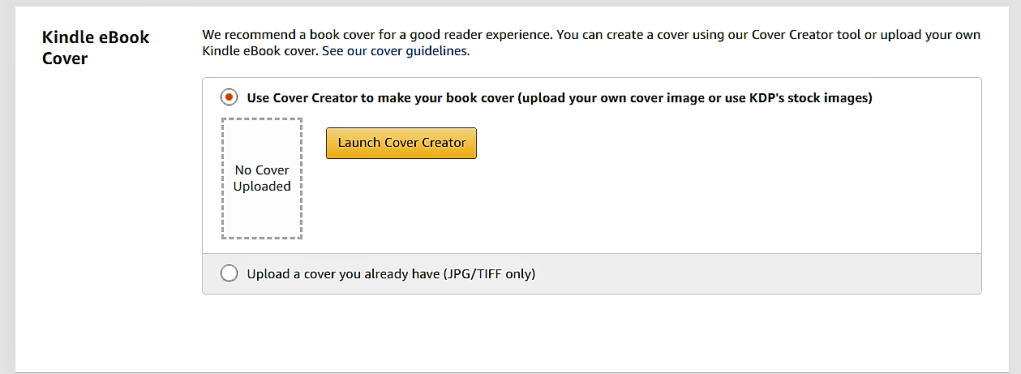
Launch the Cover Creator when prompted after you have uploaded your manuscript on the Content Page. The components are slightly different for print and ebooks, so in this section, I’ll just be talking about the steps for creating a cover for an ebook.

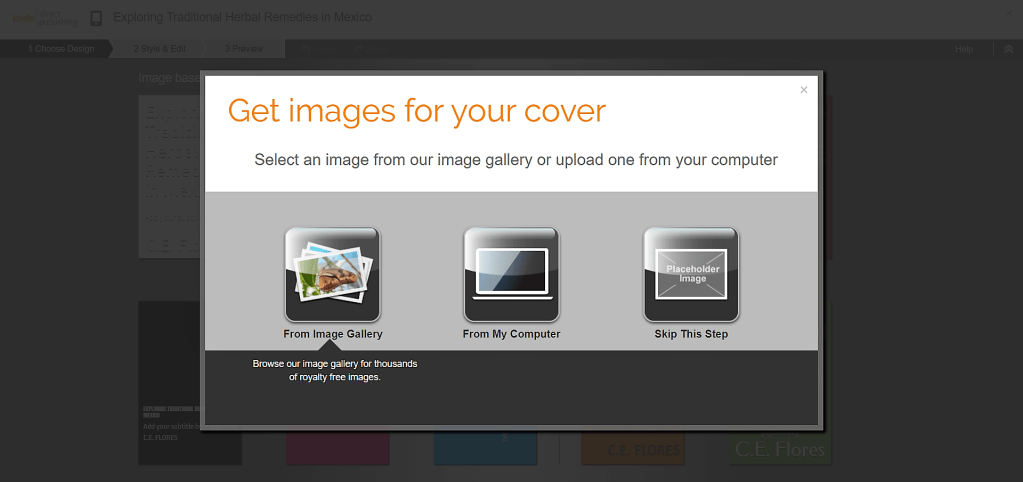
Next you’ll be prompted to choose an image from the gallery, upload a JPG, PNG or GIF image from your computer, or skip this step if you don’t have an image you want to use. Make sure the image you choose is public domain or you have permission to use it so as not to violate copyright laws. 

After you’ve uploaded or choosen and image, Cover Creator generates a variety of potential cover designs. Since the program uses the book details including author, title, subtitle and ISBN, (in the case of print books), the image that you upload should not have any of these items on it. Notice in the image above that my image already had text on it so I needed to upload another image.

If you accidently chose the wrong image or if you get a poor resolution notification, you’ll have a chance to change the image in a moment. Your image should be 300 pixels per inch (300 DPI) at the size you want it to appear on your cover. 

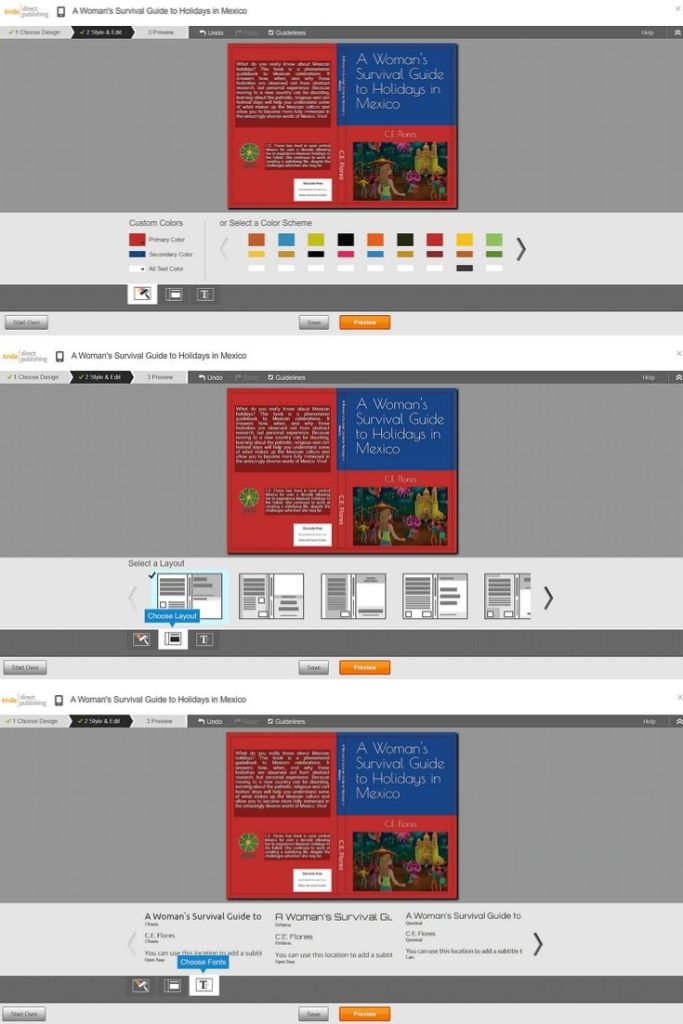
Choose the color scheme you would like to use. You can choose from already paired colors or pick your own.

Select a layout for the print part of the cover.

Finally choose a font and select the orange “Preview” button.

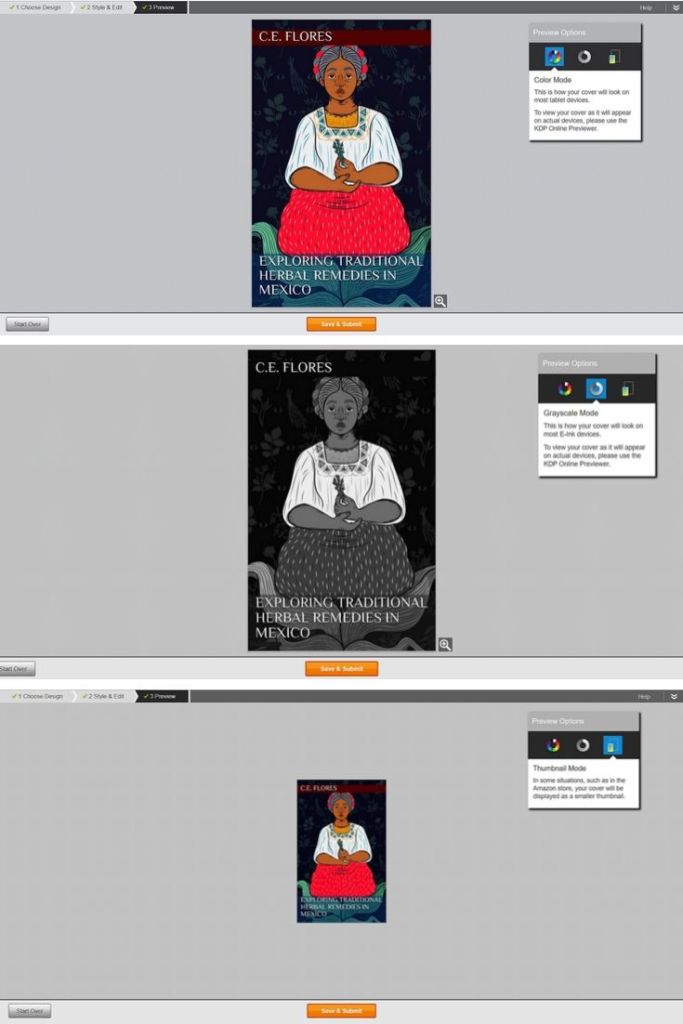
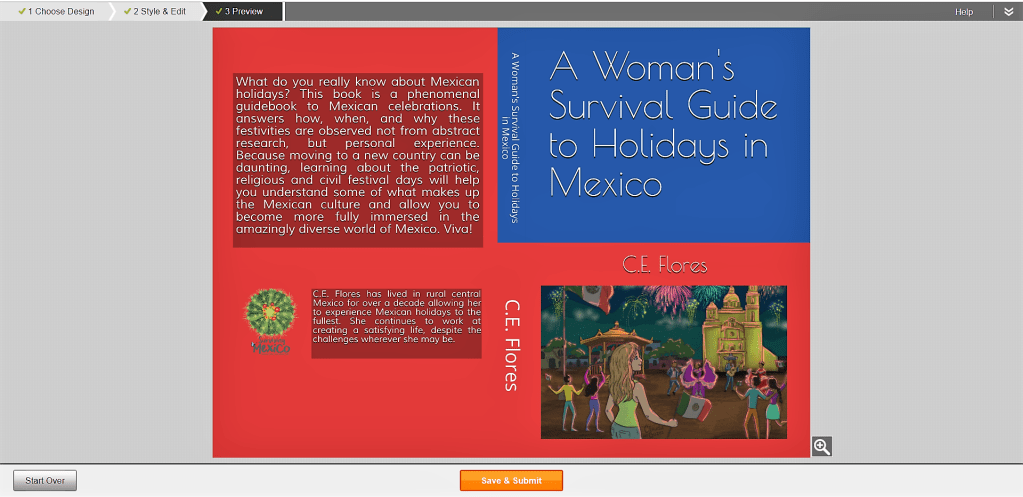
Make sure to preview your cover in color, greyscale and thumbnail modes. Make sure the text is readable and the image looks good.

If you like how everything looks, you can hit “Save & Submit.” If you don’t, then you can “Start Over.” If you want to change your image, click on it and you’ll get the option to choose another image or change its size, position or rotation. 

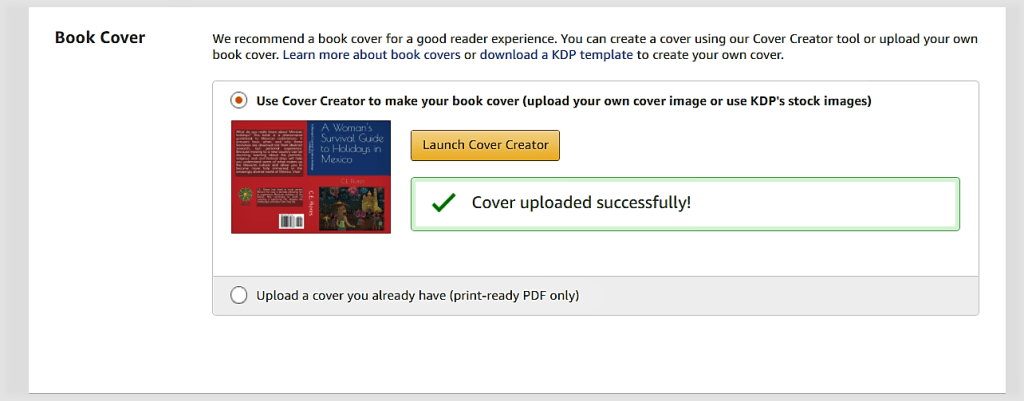
Voila! Now you’ll see a checkmark with “Cover uploaded successfully” next to the thumbnail of your finished cover.

Assignment: Use Cover Creator or upload your ebook cover. 

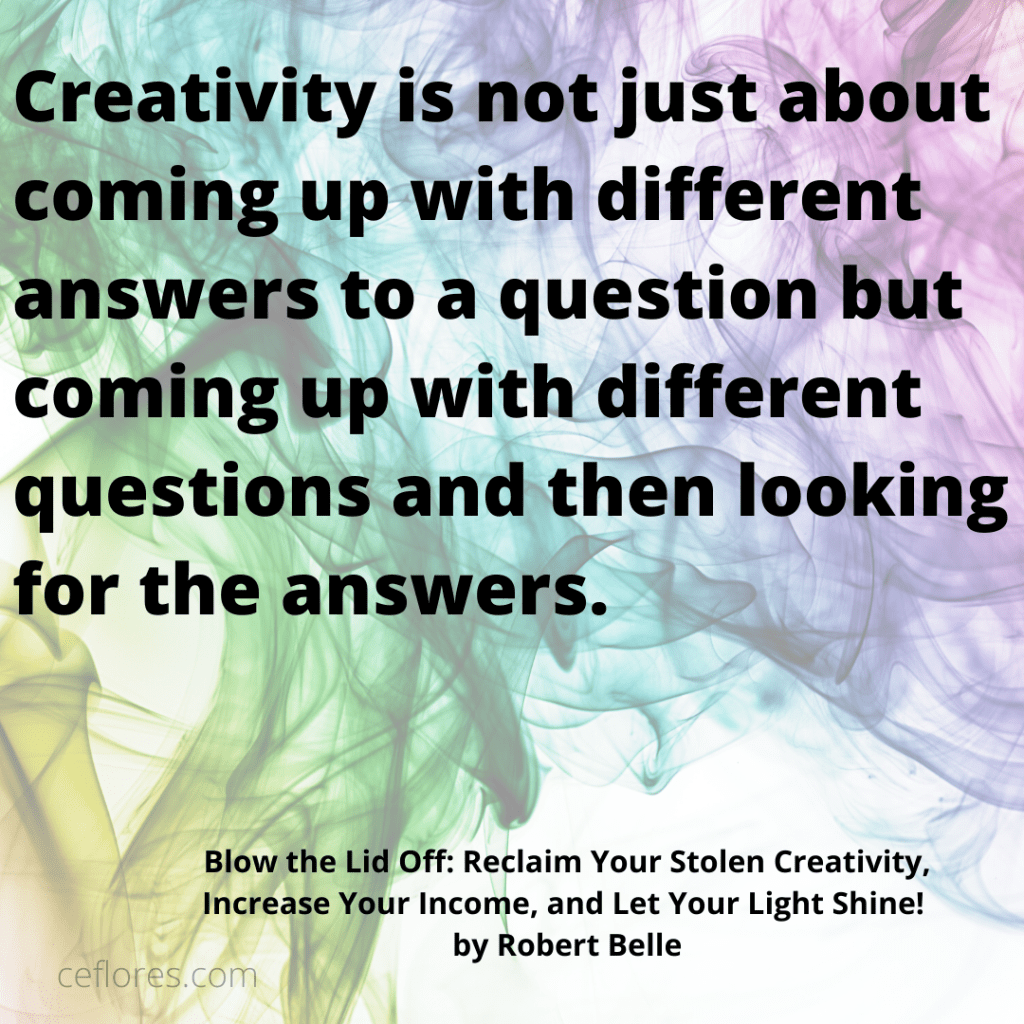
Blow the Lid Off: Reclaim Your Stolen Creativity, Increase Your Income, and Let Your Light Shine! by Robert Belle

Blow the Lid Off: Reclaim Your Stolen Creativity, Increase Your Income, and Let Your Light Shine! by Robert Belle will light a firecracker under your seat when it comes to creativity. Although there was somewhat excessive use of the exclamation point throughout the book, overall, the text was extremely creatively inspiring. 

The book was divided into two parts, based on the right and left hemispheres of the brain. The first section focused on the process of creativity while the second part gave practical activities you can use to incorporate creativity into your life. Each chapter had a section of takeaway thoughts that encourage you to self-reflect on your own experiences.

Everyone begins their lives as creative beings. Over time, social constraints stifle that creativity, leaving us a hollow shell of discontentment. It’s time to reclaim our creative souls and this book will help you do just that.

My favorite chapter by far was number four, entitled Your Creativity: The Message of Your Itching Creative Gene. Determining your purpose in life isn’t as easy as it sounds. So the section on what things are NOT your mission was enlightening. Then, looking at categories that could be your passion and examining your actions in certain circumstances to determine your mission in life made the process clear.

It’s not enough to understand your mission, you need to live it out loud. In part two, the author breaks down living creatively as a lifestyle, talks about how you can monetize your passions, and discusses the legal aspects protecting your ideas. 

Life isn’t something to be muddled through. Rather it’s meant to be enjoyed to the fullest. Each of us must ask ourselves if we are living intentionally or just going through the motions and if we are then whether that’s really how we want our lives to be. Blow the Lid Off: Reclaim Your Stolen Creativity, Increase Your Income, and Let Your Light Shine! by Robert Belle can help you find the answers to those questions and more. 

I received an advanced review copy from Reedsy Discovery. You can read my review here.

Blog to Book Project — Cover Creator for Print Books

Creating a print book cover is a bit more complicated than an eBook cover. The bar code, spine text, and resolution needs to be just so. Kindle Direct Publishing has a handy little app to help you out here. 

Launch the Cover Creator when prompted after you have uploaded your manuscript on the Content Page. The components are slightly different for print and ebooks, so in this section, I’ll just be talking about the steps for creating a cover for a print book. 

If you have a pdf cover already to upload, you’ll need to make sure you have a space for the bar code. If you want the spine of your book to have the title and author name, your book must be more than 100 pages. 

Next you’ll be prompted to choose an image from the gallery, upload a JPG, PNG or GIF image from your computer, or skip this step if you don’t have an image you want to use.  Make sure the image you choose is public domain or you have permission to use it so as not to violate copyright laws. 

After you’ve uploaded or choosen an image, Cover Creator generates a variety of potential cover designs. Since the program uses the book details including author, title, subtitle and ISBN, the image that you upload should not have any of these items on it. If you don’t have an image you want to use, you can choose from several other options with solid colors or background designs.

If you accidently chose the wrong image or if you get a poor resolution notification, you’ll have a chance to change the image. Your image should be 300 pixels per inch (DPI) at the size you want it to appear on your cover. Sometimes it’s just a matter of resizing the picture until it reaches the acceptable DPI. 

Choose the color scheme you would like to use. You can choose from already paired colors or pick your own. Then, select a layout for the print part of the cover. Finally choose a font and select the orange “Preview” button. 

Make sure to preview your cover to ensure the text is readable and the image looks good. The information on the back cover could be About the Author or a blurb about the content of the book or both. It’s up to you. You can even leave it blank. Just don’t add anyinformation and in final version the prompt section will disappear.

If you like how everything looks, you can hit “Save & Submit.” If you don’t, then you can “Start Over.” If you want to change your image, click on it and you’ll get the option to choose another image or change its size, position or rotation. 

There you have it! Now you’ll see a checkmark with “Cover uploaded successfully” next to the thumbnail of your finished cover. 

Assignment: Use Cover Creator or upload your print book cover. 

Immersed in West Africa: My Solo Journey Across Senegal, Mauritania, The Gambia, Guinea, and Guinea Bissau by Terry Lister

africa book

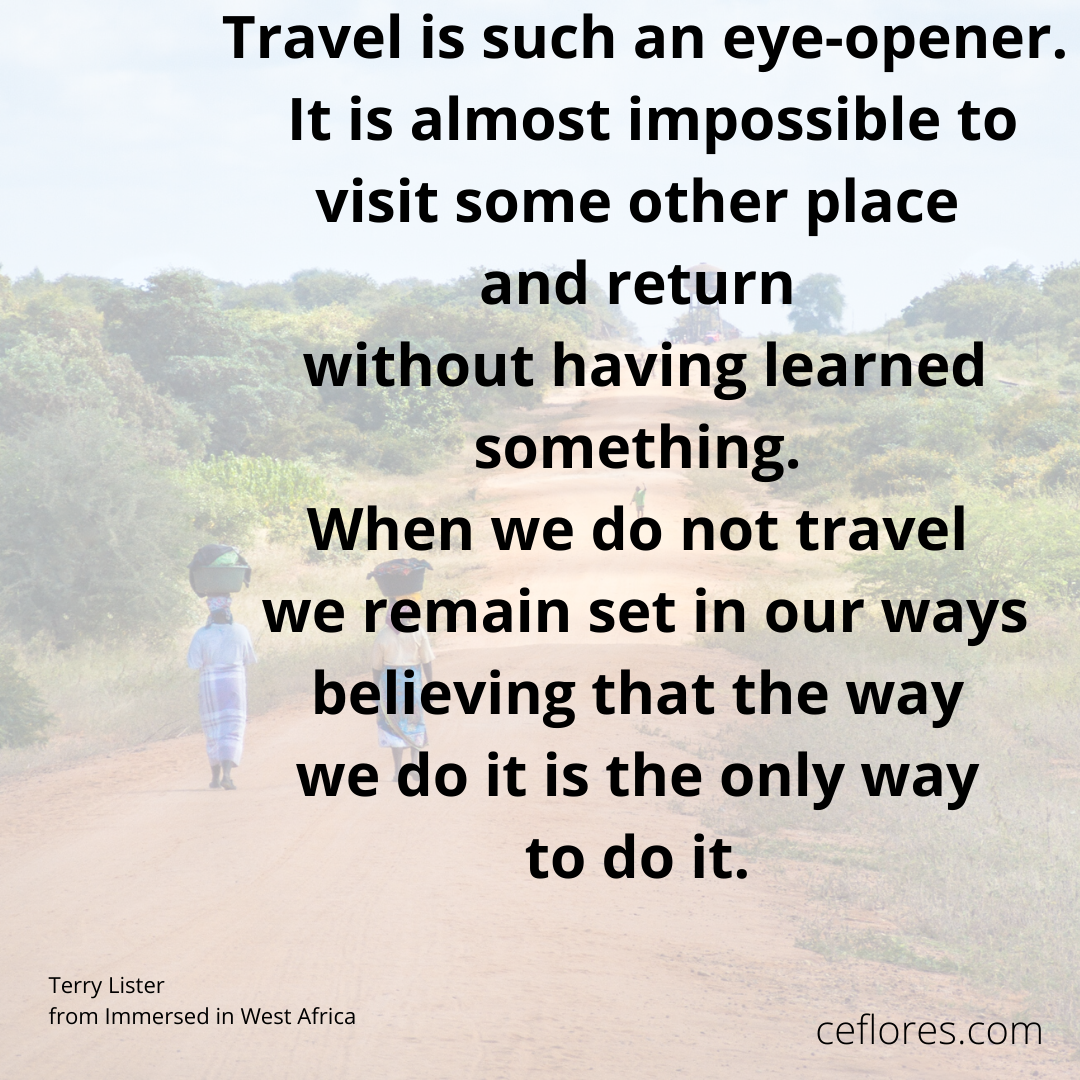
I admit it, I’m a travel book junkie. I love reading about the experiences other people have had traveling around the world while I sit comfortably at home. Africa is one of those destinations that I love to read about but I am not too sure that I want to visit, ever. 

I picked up Immersed in West Africa: My Solo Journey Across Senegal, Mauritania, The Gambia, Guinea, and Guinea Bissau by Terry Lister and did a little virtual traveling the other day. The pictures that the author included were amazing! I have to say that there is nothing quite like the raw nature of those countries he visited. 

The story he told about his travels was interesting as well. I never thought that there might be monuments and museums about the slave trade in Africa. I suppose that anything can be turned into an attraction. With a little more dedication and money, I’m sure those remote places could become educational and even a profit center for the otherwise isolated settlements. 

I chuckled at the author’s horrible transit stories. I mean really, a vehicle with 15 people stacked three high (that was the image I got from reading the account anyway). The hassle with the ATMs, customs and police bribes, general miscommunication, and so on are quirky, real tidbits that make an adventure story ring true. 

lister

My favorite section was the description of the elaborate tea preparation in Chinguetti, Mauritania, and the Terjit Oasis. I also marveled at the villages that were only accessible by ladder in Djiakan. I could just picture women with babies tied to their backs ascending and descending those ladders. 

I would have liked to have a little more explanation about the author’s thoughts on certain items, like his opinion on renewable energy which he says he was “pretty sure you know how I feel”. Well, I didn’t. Or the thing he had for volcanoes and waterfalls. What thing was that? More details would have been nice. 

Regardless, if you are an arm-chair traveler by choice or circumstance, Immersed in West Africa: My Solo Journey Across Senegal, Mauritania, The Gambia, Guinea and Guinea Bissau by Terry Lister will take you to distant lands.

four star

Blog to Book Project — Back Cover Bio

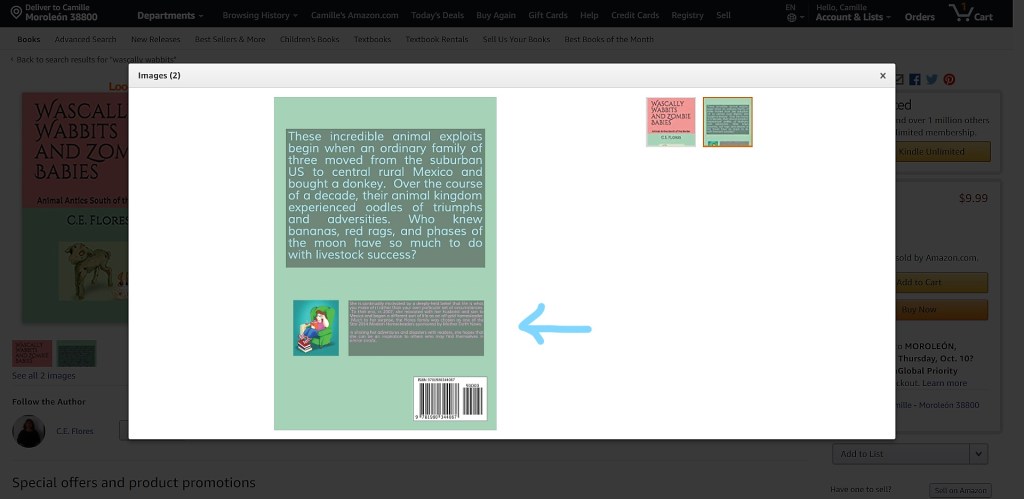
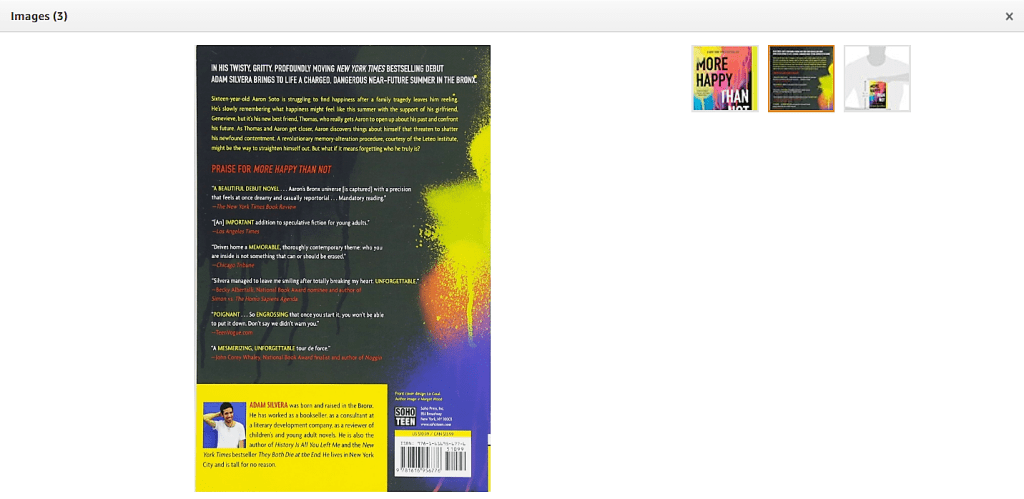
Depending on the layout you decide on for the cover for your print book, you may have a place to include a back cover bio. Even if you already have an About the Author section, you might want to include a shorter bio on your cover. 

When someone looks at your book on Amazon, they will see both the front and back cover images. Having a back cover bio is another way to get potential readers interested in what you have to say. 

Example of a back cover bio with picture AND several reviews.

The back cover bio should include why you are an expert on this subject and make you seem approachable, humor works well for that. It really should only a few sentences. The About the Author page will be more in depth. 

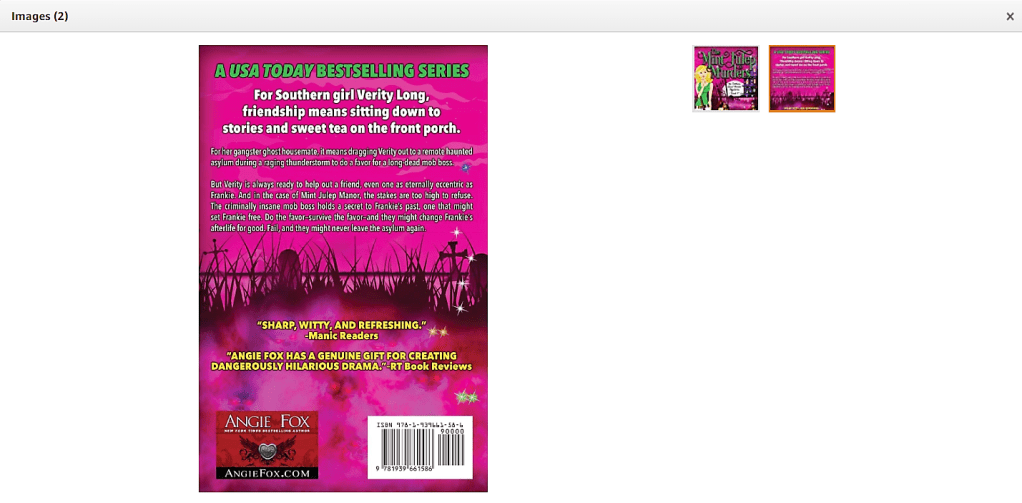
Example with review quotes. Notice instead of an author picture, there is an image that lists the author website.

You could include reviews or quotes from recognizable authorities on your back cover instead of an author bio if you like. The effect is the same. Reviews garner interest. Interest increases the likelihood of a purchase. 

Both your About the Author bio and the back cover bio should also be included on your author website. The About the Author bio is your About page on your website. The back cover bio might appear in your sidebar. 

Assignment: Write your back cover bio.

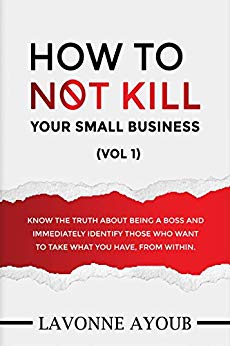
How to Not Kill Your Small Business by Lavonne Ayoub

I had high hopes going into How to Not Kill Your Small Business by Lavonne Ayoub. The introduction started out strong. It claimed that this book was for all business owners and entrepreneurs who struggle with interpersonal relationships. It said that the book would help you identify those who do not have your business as a priority and keep you focused on healthy boundaries. Good stuff, right?

Then I read the book. It contained 31 positive affirmations which were inspiring and nothing more. For example, Day 1 “Do not be afraid to lose clients, customers, or staff. Trying to please everyone creates chaos.” I flipped the page ready to learn more, but there wasn’t anything else in chapter. That was it. And I wanted more. 

I wanted to know why I shouldn’t be afraid to not please everyone. What was at stake by trying to make everyone happy? Where was the research that backed this declaration up? Where were the personal experiences that showed the folly of people pleasing? Where were the reflective questions that I could use as an entrepreneur to align myself to this statement?

So, I have to say that overall I was disappointed with How to Not Kill Your Small Business by Lavonne Ayoub. I thought the affirmations were excellent, but since there was no practical application to them, they were easily forgotten. 

I didn’t feel that I had the edge I needed to protect my business as promised in the introduction by simply contemplating these admonishments. I didn’t feel that I could identify boundaries that would create a stable and secure business that would endure for years. I felt cheated out of my time. Granted, it only took a few minutes to read the entire book but I’m a busy person and those are minutes I’ll never get back.

I received an advanced review copy from Reedsy Discovery. You can read my review here.