Blog to Book Project — Cover Creator for eBooks

It’s perfectly acceptable for you to design, or have someone design, your cover. However, Amazon provides this nifty little tool called Cover Creator to help you get the dimensions just right. The layouts and font choices are limited, but if you’re a newbie like me, Cover Creator will add a bit of professionalism to your ebook. 

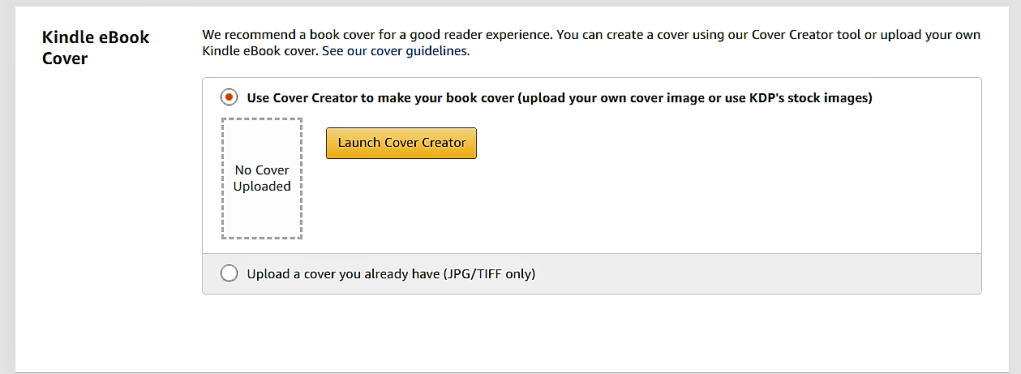
Launch the Cover Creator when prompted after you have uploaded your manuscript on the Content Page. The components are slightly different for print and ebooks, so in this section, I’ll just be talking about the steps for creating a cover for an ebook.

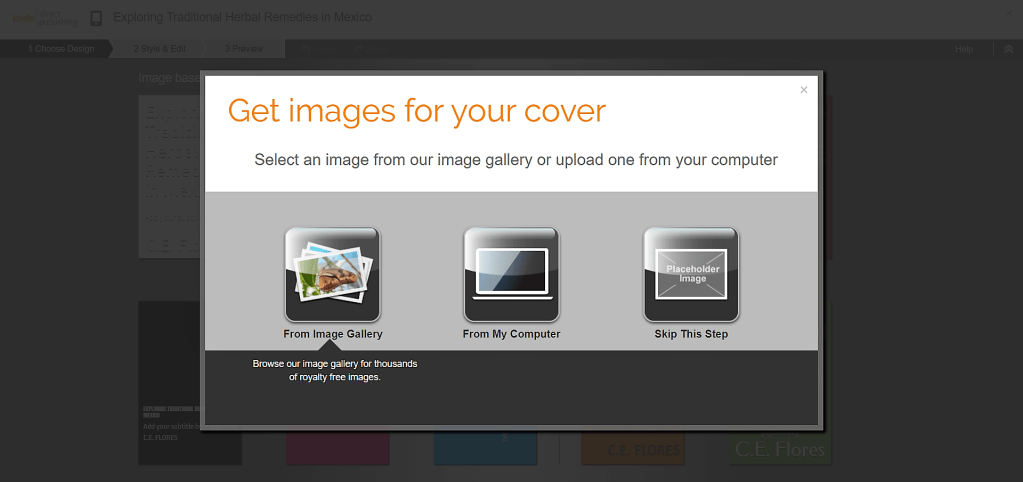
Next you’ll be prompted to choose an image from the gallery, upload a JPG, PNG or GIF image from your computer, or skip this step if you don’t have an image you want to use. Make sure the image you choose is public domain or you have permission to use it so as not to violate copyright laws. 

After you’ve uploaded or choosen and image, Cover Creator generates a variety of potential cover designs. Since the program uses the book details including author, title, subtitle and ISBN, (in the case of print books), the image that you upload should not have any of these items on it. Notice in the image above that my image already had text on it so I needed to upload another image.

If you accidently chose the wrong image or if you get a poor resolution notification, you’ll have a chance to change the image in a moment. Your image should be 300 pixels per inch (300 DPI) at the size you want it to appear on your cover. 

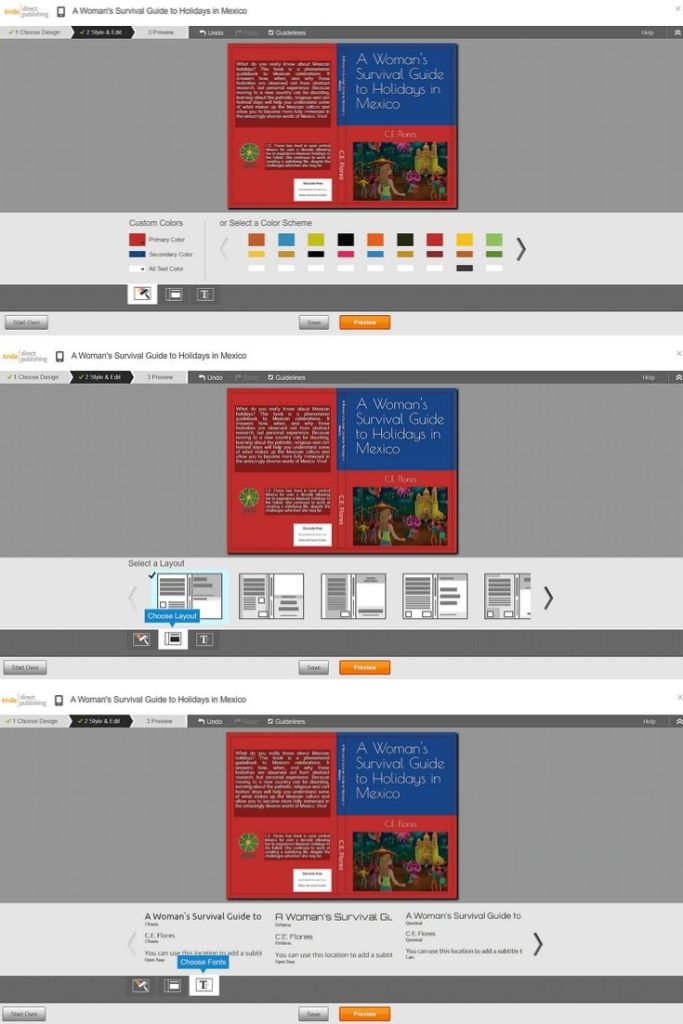
Choose the color scheme you would like to use. You can choose from already paired colors or pick your own.

Select a layout for the print part of the cover.

Finally choose a font and select the orange “Preview” button.

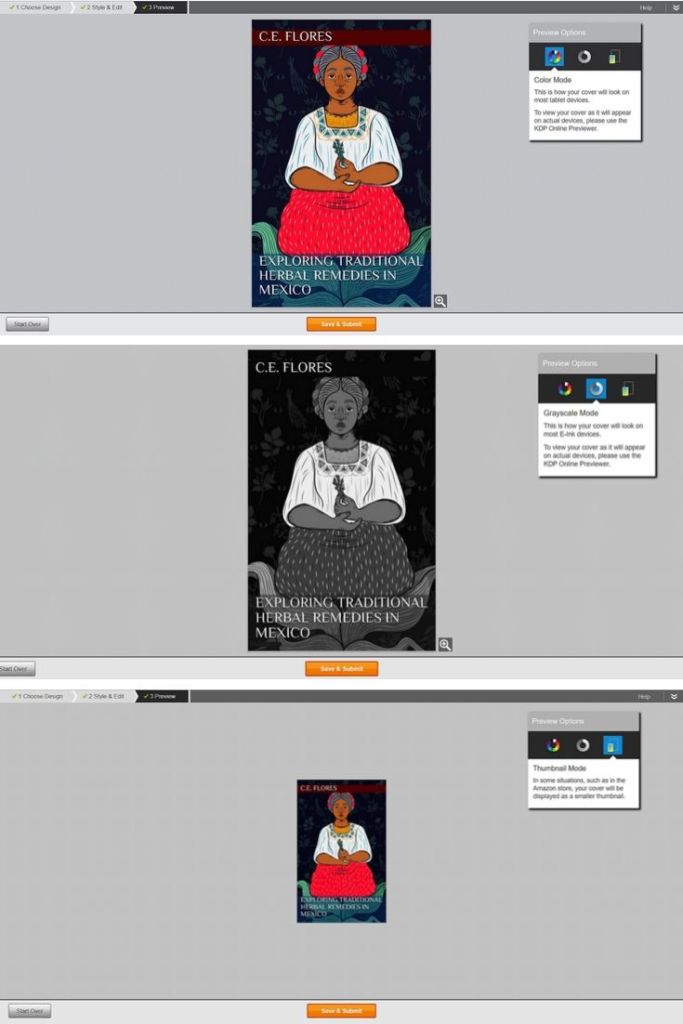
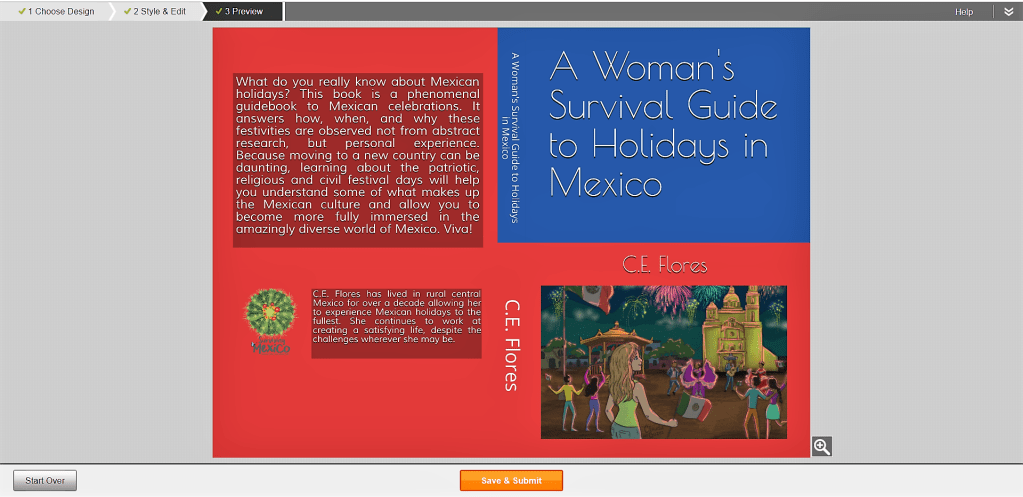
Make sure to preview your cover in color, greyscale and thumbnail modes. Make sure the text is readable and the image looks good.

If you like how everything looks, you can hit “Save & Submit.” If you don’t, then you can “Start Over.” If you want to change your image, click on it and you’ll get the option to choose another image or change its size, position or rotation. 

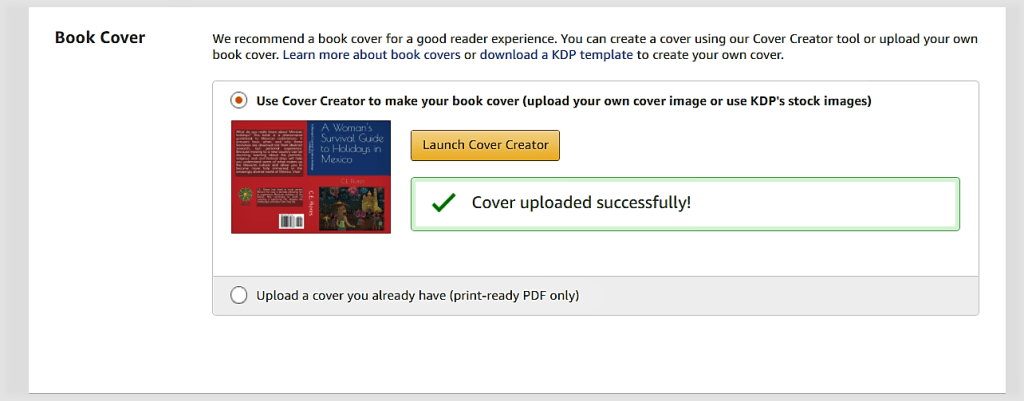
Voila! Now you’ll see a checkmark with “Cover uploaded successfully” next to the thumbnail of your finished cover.

Assignment: Use Cover Creator or upload your ebook cover. 

Blow the Lid Off: Reclaim Your Stolen Creativity, Increase Your Income, and Let Your Light Shine! by Robert Belle

Blow the Lid Off: Reclaim Your Stolen Creativity, Increase Your Income, and Let Your Light Shine! by Robert Belle will light a firecracker under your seat when it comes to creativity. Although there was somewhat excessive use of the exclamation point throughout the book, overall, the text was extremely creatively inspiring. 

The book was divided into two parts, based on the right and left hemispheres of the brain. The first section focused on the process of creativity while the second part gave practical activities you can use to incorporate creativity into your life. Each chapter had a section of takeaway thoughts that encourage you to self-reflect on your own experiences.

Everyone begins their lives as creative beings. Over time, social constraints stifle that creativity, leaving us a hollow shell of discontentment. It’s time to reclaim our creative souls and this book will help you do just that.

My favorite chapter by far was number four, entitled Your Creativity: The Message of Your Itching Creative Gene. Determining your purpose in life isn’t as easy as it sounds. So the section on what things are NOT your mission was enlightening. Then, looking at categories that could be your passion and examining your actions in certain circumstances to determine your mission in life made the process clear.

It’s not enough to understand your mission, you need to live it out loud. In part two, the author breaks down living creatively as a lifestyle, talks about how you can monetize your passions, and discusses the legal aspects protecting your ideas. 

Life isn’t something to be muddled through. Rather it’s meant to be enjoyed to the fullest. Each of us must ask ourselves if we are living intentionally or just going through the motions and if we are then whether that’s really how we want our lives to be. Blow the Lid Off: Reclaim Your Stolen Creativity, Increase Your Income, and Let Your Light Shine! by Robert Belle can help you find the answers to those questions and more. 

I received an advanced review copy from Reedsy Discovery. You can read my review here.

Blog to Book Project — Cover Creator for Print Books

Creating a print book cover is a bit more complicated than an eBook cover. The bar code, spine text, and resolution needs to be just so. Kindle Direct Publishing has a handy little app to help you out here. 

Launch the Cover Creator when prompted after you have uploaded your manuscript on the Content Page. The components are slightly different for print and ebooks, so in this section, I’ll just be talking about the steps for creating a cover for a print book. 

If you have a pdf cover already to upload, you’ll need to make sure you have a space for the bar code. If you want the spine of your book to have the title and author name, your book must be more than 100 pages. 

Next you’ll be prompted to choose an image from the gallery, upload a JPG, PNG or GIF image from your computer, or skip this step if you don’t have an image you want to use.  Make sure the image you choose is public domain or you have permission to use it so as not to violate copyright laws. 

After you’ve uploaded or choosen an image, Cover Creator generates a variety of potential cover designs. Since the program uses the book details including author, title, subtitle and ISBN, the image that you upload should not have any of these items on it. If you don’t have an image you want to use, you can choose from several other options with solid colors or background designs.

If you accidently chose the wrong image or if you get a poor resolution notification, you’ll have a chance to change the image. Your image should be 300 pixels per inch (DPI) at the size you want it to appear on your cover. Sometimes it’s just a matter of resizing the picture until it reaches the acceptable DPI. 

Choose the color scheme you would like to use. You can choose from already paired colors or pick your own. Then, select a layout for the print part of the cover. Finally choose a font and select the orange “Preview” button. 

Make sure to preview your cover to ensure the text is readable and the image looks good. The information on the back cover could be About the Author or a blurb about the content of the book or both. It’s up to you. You can even leave it blank. Just don’t add anyinformation and in final version the prompt section will disappear.

If you like how everything looks, you can hit “Save & Submit.” If you don’t, then you can “Start Over.” If you want to change your image, click on it and you’ll get the option to choose another image or change its size, position or rotation. 

There you have it! Now you’ll see a checkmark with “Cover uploaded successfully” next to the thumbnail of your finished cover. 

Assignment: Use Cover Creator or upload your print book cover. 

Immersed in West Africa: My Solo Journey Across Senegal, Mauritania, The Gambia, Guinea, and Guinea Bissau by Terry Lister

africa book

I admit it, I’m a travel book junkie. I love reading about the experiences other people have had traveling around the world while I sit comfortably at home. Africa is one of those destinations that I love to read about but I am not too sure that I want to visit, ever. 

I picked up Immersed in West Africa: My Solo Journey Across Senegal, Mauritania, The Gambia, Guinea, and Guinea Bissau by Terry Lister and did a little virtual traveling the other day. The pictures that the author included were amazing! I have to say that there is nothing quite like the raw nature of those countries he visited. 

The story he told about his travels was interesting as well. I never thought that there might be monuments and museums about the slave trade in Africa. I suppose that anything can be turned into an attraction. With a little more dedication and money, I’m sure those remote places could become educational and even a profit center for the otherwise isolated settlements. 

I chuckled at the author’s horrible transit stories. I mean really, a vehicle with 15 people stacked three high (that was the image I got from reading the account anyway). The hassle with the ATMs, customs and police bribes, general miscommunication, and so on are quirky, real tidbits that make an adventure story ring true. 

lister

My favorite section was the description of the elaborate tea preparation in Chinguetti, Mauritania, and the Terjit Oasis. I also marveled at the villages that were only accessible by ladder in Djiakan. I could just picture women with babies tied to their backs ascending and descending those ladders. 

I would have liked to have a little more explanation about the author’s thoughts on certain items, like his opinion on renewable energy which he says he was “pretty sure you know how I feel”. Well, I didn’t. Or the thing he had for volcanoes and waterfalls. What thing was that? More details would have been nice. 

Regardless, if you are an arm-chair traveler by choice or circumstance, Immersed in West Africa: My Solo Journey Across Senegal, Mauritania, The Gambia, Guinea and Guinea Bissau by Terry Lister will take you to distant lands.

four star

Blog to Book Project — Back Cover Bio

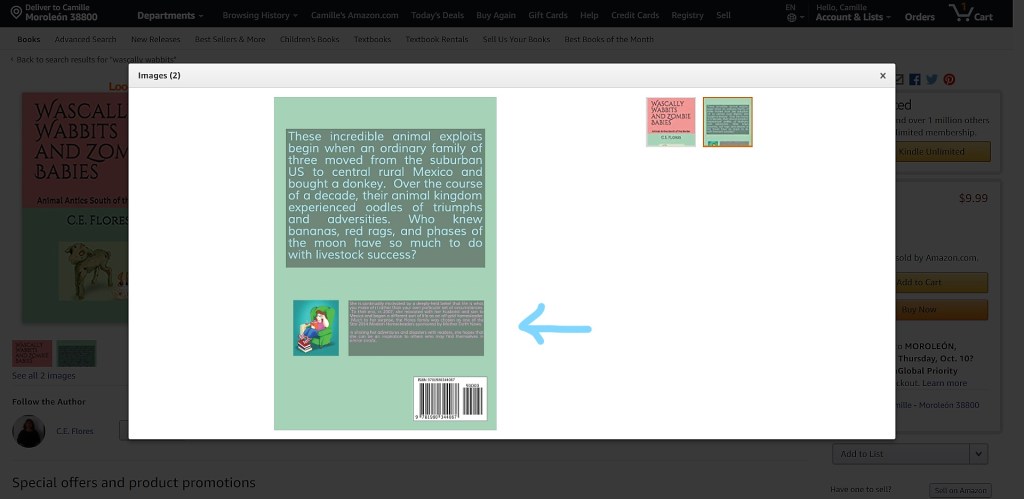
Depending on the layout you decide on for the cover for your print book, you may have a place to include a back cover bio. Even if you already have an About the Author section, you might want to include a shorter bio on your cover. 

When someone looks at your book on Amazon, they will see both the front and back cover images. Having a back cover bio is another way to get potential readers interested in what you have to say. 

Example of a back cover bio with picture AND several reviews.

The back cover bio should include why you are an expert on this subject and make you seem approachable, humor works well for that. It really should only a few sentences. The About the Author page will be more in depth. 

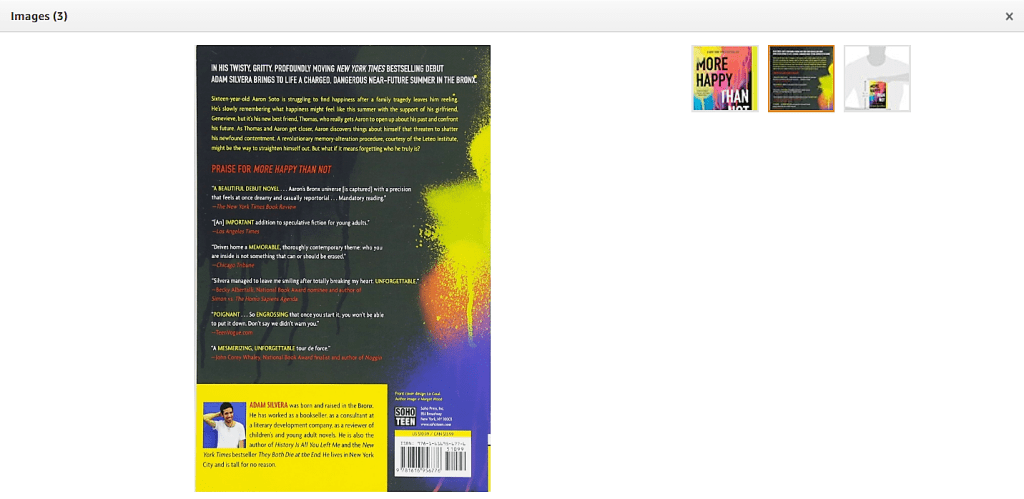
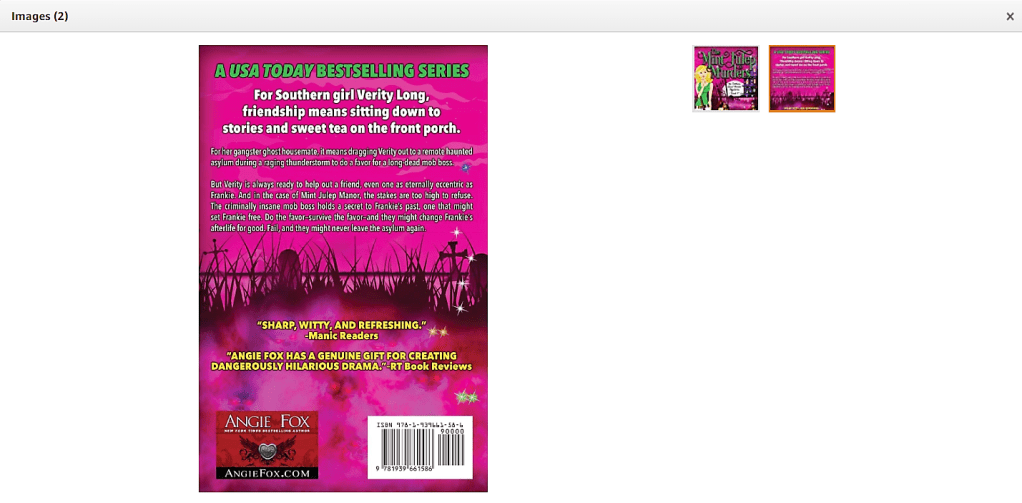
Example with review quotes. Notice instead of an author picture, there is an image that lists the author website.

You could include reviews or quotes from recognizable authorities on your back cover instead of an author bio if you like. The effect is the same. Reviews garner interest. Interest increases the likelihood of a purchase. 

Both your About the Author bio and the back cover bio should also be included on your author website. The About the Author bio is your About page on your website. The back cover bio might appear in your sidebar. 

Assignment: Write your back cover bio.

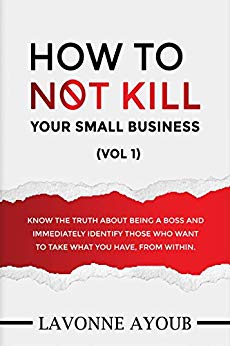
How to Not Kill Your Small Business by Lavonne Ayoub

I had high hopes going into How to Not Kill Your Small Business by Lavonne Ayoub. The introduction started out strong. It claimed that this book was for all business owners and entrepreneurs who struggle with interpersonal relationships. It said that the book would help you identify those who do not have your business as a priority and keep you focused on healthy boundaries. Good stuff, right?

Then I read the book. It contained 31 positive affirmations which were inspiring and nothing more. For example, Day 1 “Do not be afraid to lose clients, customers, or staff. Trying to please everyone creates chaos.” I flipped the page ready to learn more, but there wasn’t anything else in chapter. That was it. And I wanted more. 

I wanted to know why I shouldn’t be afraid to not please everyone. What was at stake by trying to make everyone happy? Where was the research that backed this declaration up? Where were the personal experiences that showed the folly of people pleasing? Where were the reflective questions that I could use as an entrepreneur to align myself to this statement?

So, I have to say that overall I was disappointed with How to Not Kill Your Small Business by Lavonne Ayoub. I thought the affirmations were excellent, but since there was no practical application to them, they were easily forgotten. 

I didn’t feel that I had the edge I needed to protect my business as promised in the introduction by simply contemplating these admonishments. I didn’t feel that I could identify boundaries that would create a stable and secure business that would endure for years. I felt cheated out of my time. Granted, it only took a few minutes to read the entire book but I’m a busy person and those are minutes I’ll never get back.

I received an advanced review copy from Reedsy Discovery. You can read my review here.

Blog to Book Project — Motif

Whether you are writing fiction or non-fiction, determining your book’s motif is a step in the right direction in creating your book’s final tapestry. A motif is an element, whether figurative or literal, that recurs in your book that has symbolic significance. 

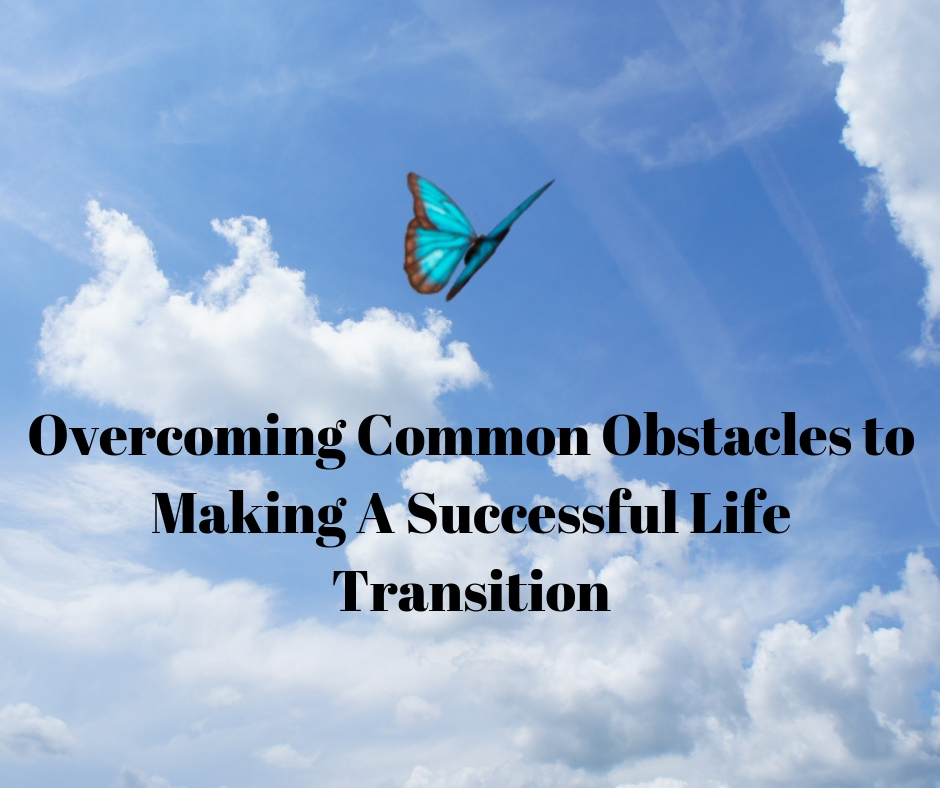
It might be an image that appears at the beginning of each chapter or a perspective the author tries to convey. A butterfly for example, is a symbol of transformation. Including it in a book entitled Overcoming Common Obstacles to a Successful Life Transition along with an emphasis on transforming oneself makes it a motif. 

Knowing your book’s motif will help you design the best cover for your book, find images that fit the theme, and write your book’s blurb. Therefore, you should take some time to examine the threads of your story. Ask yourself:

Are there any repeating patterns? 

Do these patterns reinforce the central theme?

Is there a symbol that readers would associate with your book’s theme?

If you are still having problems finding your motif, maybe you need to consider again WHY you are writing this book and WHAT it is you want to convey. 

For example, I have a series of books based on my experiences in Mexico. I wrote these books to help other women negotiate a new culture in Mexico. That’s my why. I want to convey that despite the challenges, it is possible to create a fulfilling life. My motif, therefore, is survival as represented by a blooming cactus, a plant that not only is found throughout Mexico but one that can survive even the harshest conditions and bloom.

The titles also reflect this motif: A Woman’s Survival Guide to Holidays in Mexico, A Woman’s Survival Guide to Mexican Healthcare, Surviving Voluntary Exile and so on.  I’ve incorporated that motif into my blog and even my author page on Amazon. It’s an idea that I want my readers to identify me and my books with.

Assignment: Find your book’s motif. 

A to Z Blogging Challenge Reflection Post 2020

And another A to Z Blogging Challenge comes to an end! I have to admit, with all the other things going on in April (COVID-19, quarantine, new kitten, gardening) I didn’t get to visit as many other blogs as I would have liked. Fortunately, I had written all my posts in January, otherwise, I probably wouldn’t have been able to keep up with the challenge either. 

Probably for some of the same reasons, I didn’t get as many visitors as I did previous years. There’s not much to be done about that, I suppose. The value I got out of participating in the A to Z Blogging Challenge this year was that I advanced towards finishing the two self-publishing books I’m working on. I’m not there yet, but I hope soon I will be. 

book weaving course cover   book it book cover

As for next year’s participation….well, if I can come up with a good topic between now and then, perhaps. As it stands right now, I’m not sure. Any ideas?

Regardless, the A to Z Blogging Challenge 2020 was another satisfying experience for me. How did it go for you?

A to Z Prepare-athon 2020

To celebrate National Prepareathon Day and the final day of the A to Z Blogging Challenge, I thought I’d offer A to Z Reasons Why La Yacata is the Place to Be in Any Disaster: A Prepper’s Guide to Mexico FREE for the next few days.

prepper-cover

You can read about how our family has prepared for everything from the Apocalypse to Zombies, including pandemics, economic collapse, and kakistocracy while you practice social distancing.

This compilation was a result of my participation in the A to Z Challenge in 2016 and my first blog to book project, so yet another reason why it’s a fitting end for the series of posts on Content Creative this month.

Thank you for joining me this month!